Clipappboard Free
For everyday work
0 €
No expiring trial.
- History, search, and previews
- Copy, drag, and Share
- One collection and up to five pins
- Trash, recovery, and backups
 Clipappboard
Recover what you copy. Organize your projects. Edit and reuse your clips in an interface that feels at home on macOS.
Your clipboard, the way it should be on Mac.
macOS 12 or later · Apple Silicon and Intel · App in Spanish and English · Available in 175 countries and regions
Find, organize and reuse what matters.
Included free
History, search, filters by type, previews and backups. One collection and five pinned clips included. The free version never expires.
Expand with Pro
Add more collections and pins. Alias your clips and combine filters to keep what you reuse for each project close at hand.
Editing with Pro
Edit text as a new copy. Annotate an image with arrows, shapes and text, or crop it before reusing it.
Designed for Mac
Just 6.3 MB according to the App Store (1.0.3). macOS Quick Look and window mode with Pro. Local history, no Clipappboard account, no ads and no developer analytics.
Upcoming update 1.0.4
The new floating shelf keeps the text, images and files you want to reuse together. Drag a history clip onto the Shelf button to add it, then copy or drag one item or the whole set.
The shelf is temporary and clears when you quit. Removing items preserves the originals. Paste and drag compatibility depends on the content and the destination app.
Search history without returning to the original app.
Illustrative demos, not recordings. No access to your clipboard.
Real screenshots with sample content. These older captures show the Spanish interface; descriptions and video captions are available in English.
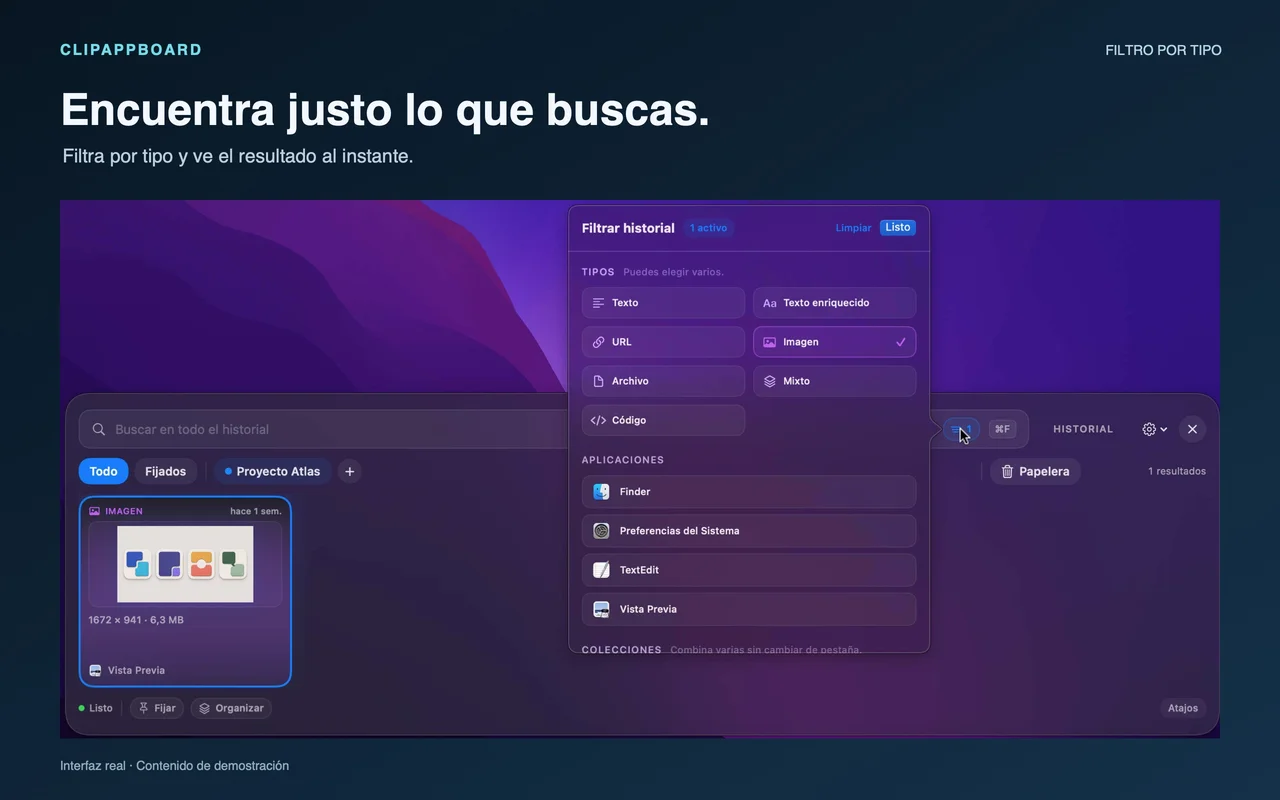
Filter by one content type for free. The controls shown for combining types, apps, and collections require Pro.
Open full image (new tab)Screenshots from version 1.0.0 (17), prepared with sample content.
No account, ads, or developer analytics. You choose what to keep and share.
Read the privacy policyClipappboard Free
No expiring trial.
Clipappboard Pro
No expiry or renewals.
Pro: €9.99 in Spain. One-time in-app purchase, with no subscription. Apple shows the price for your region before you confirm.
Pro does not expire. Pay once, with no subscription.
Start with a free visual history. Expand organization and editing with a one-time purchase.
Scroll horizontally to see the full table.
| What you need | Clipappboard | Paste | CopyClip |
|---|---|---|---|
| Free use | History, search and filters by type with no expiry | 7-day trial; then a paid plan | Free text history |
| Text and images | Yes, with previews and filters included free | Yes, with a paid plan after the trial | Text and links only; no images |
| Organization | One collection and five pins free; expand with Pro | Pinboards, with a paid plan after the trial | Snippet history in a single list |
| Pro and pricing | Pro forever with a one-time purchase | Subscription or lifetime purchase | Free; CopyClip 2 is a separate app |
For teams
Help your team find and reuse texts, links, and images. History is stored and processed locally on each Mac.
Request business informationStart free. Organize more with Pro when you need it.